WOI-Report
Generating a report
Filemaker Add-On WOI-Report
Creating a report – quick and easy
A report is a structured, factual compilation of information, data, or events on a specific topic.
It serves to explain complex relationships, monitor performance, or provide a basis for decision-making.
How does this relate to a FileMaker database solution? What topics can be covered in a report?
This tool focuses on creating reports, primarily in the business sector, and provides information on sales, delivery quantities, sales and purchase figures, as well as other data from various areas.
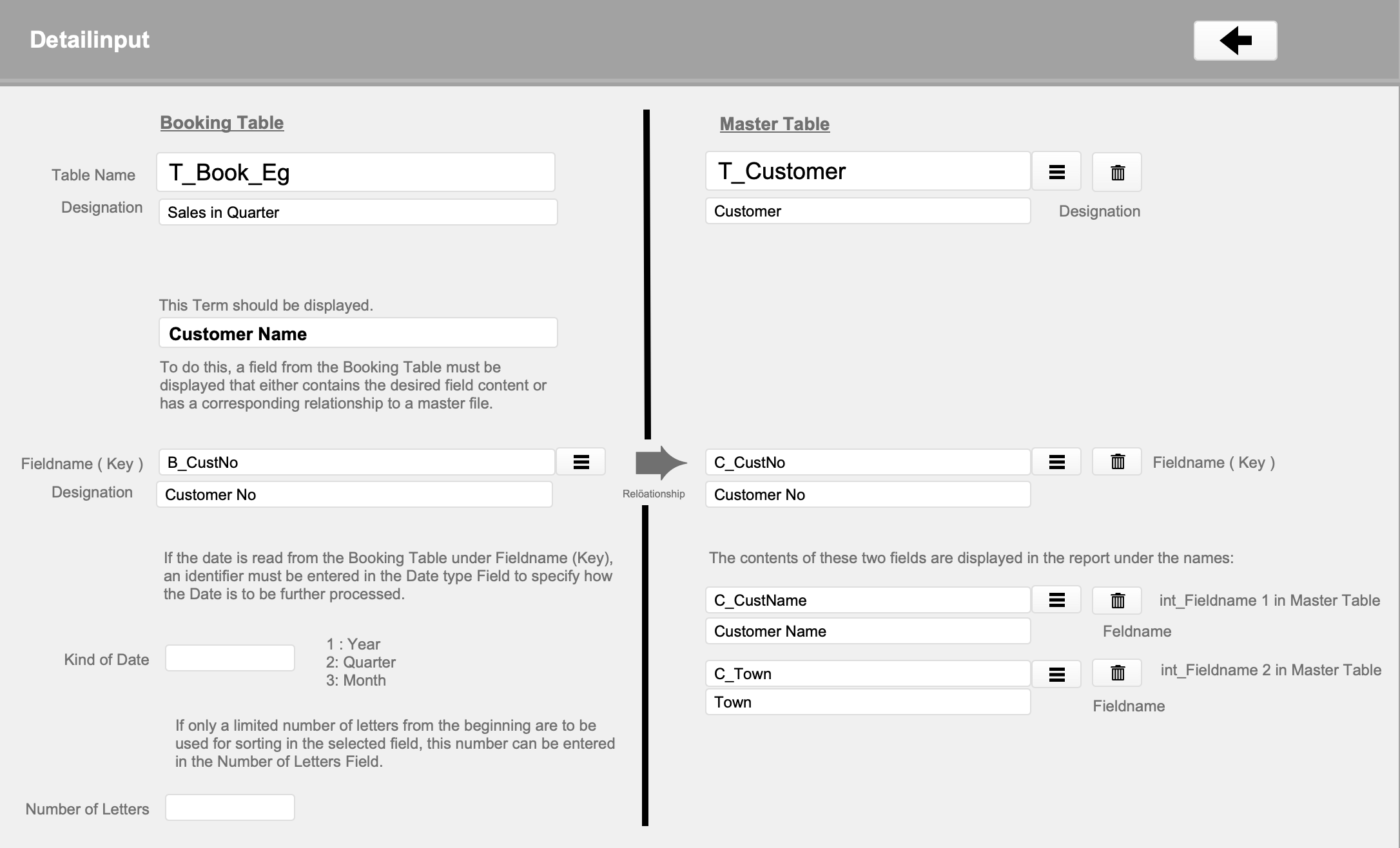
The key feature of this tool is that it can be integrated into any existing FM solution as an add-on. It allows any table to be read without requiring any scripting or establishing a relationship to existing tables.
This information can be sorted and summarized according to various groupings.
Examples:
– Quarterly figures per product group
– Customer sales per postal code area
This report generator allows you to specify up to 5 selection criteria and up to 5 groupings.
Summary totals can be generated for up to 5 number fields according to the grouping specifications.
Furthermore, 2 calculation fields with a formula editor are integrated into the report.
High ease of use
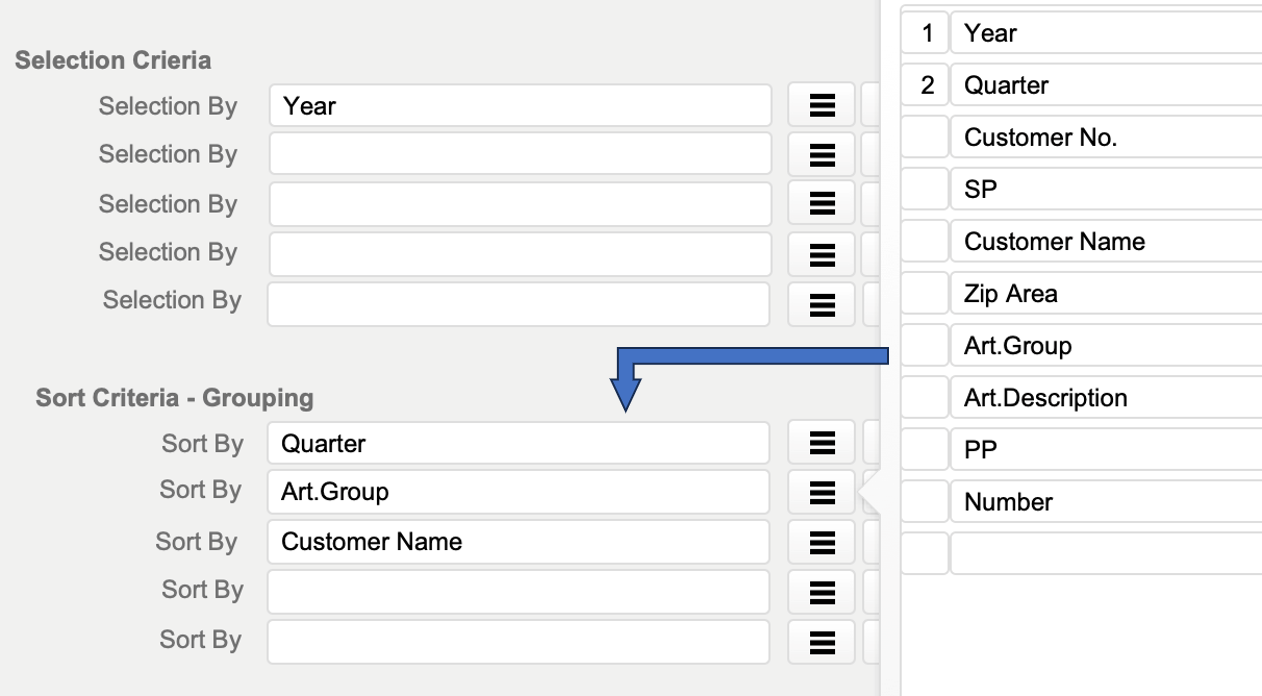
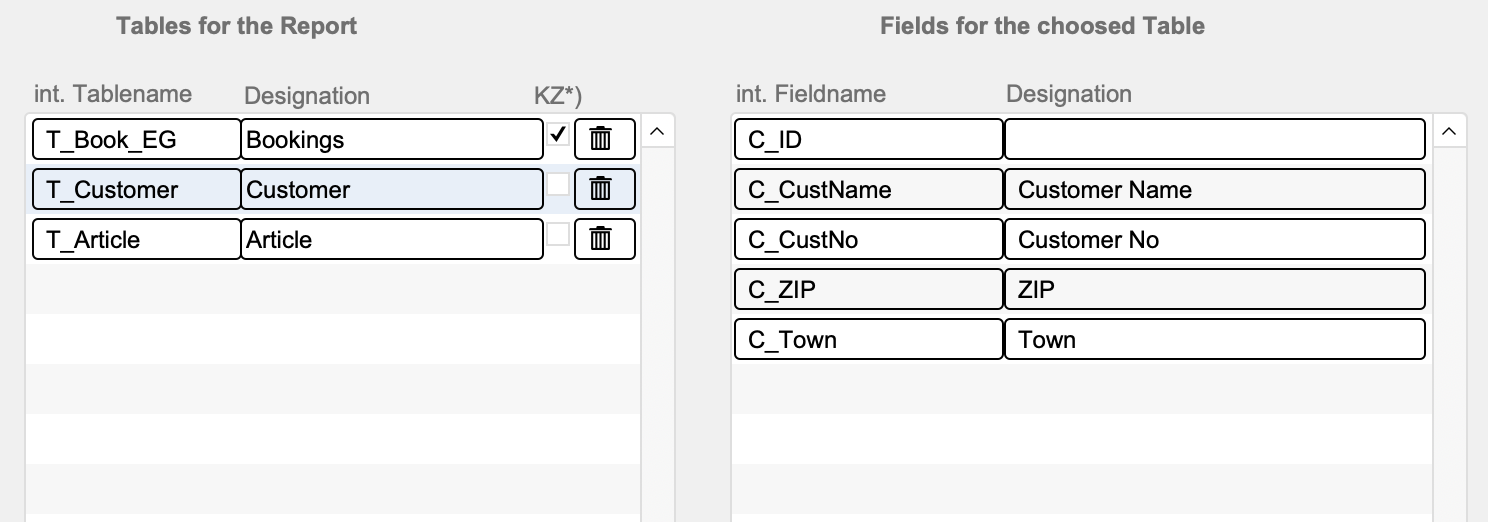
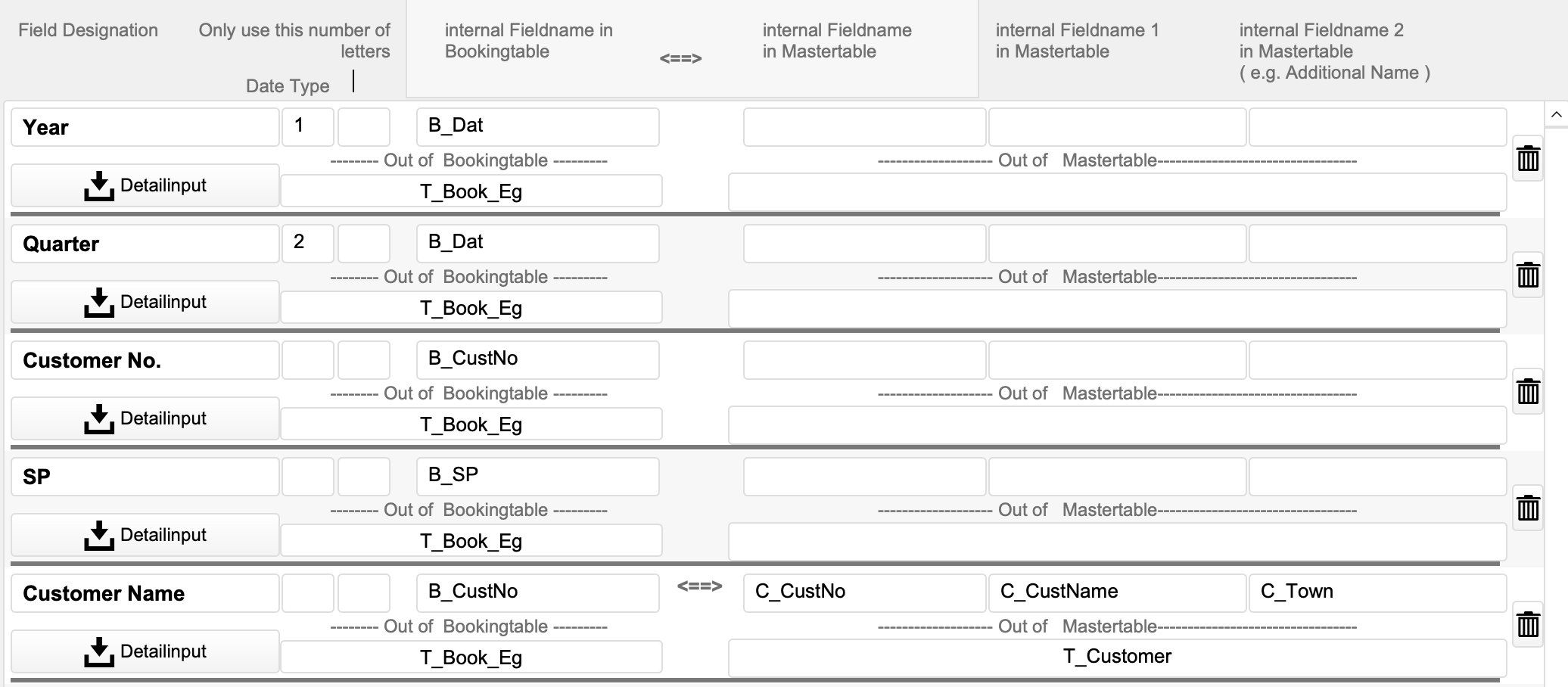
All field names required for a report are read by the tool after the tables have been entered. This means that all desired field names can be selected with a single click to define the reports. This ensures fast and, above all, error-free creation of new reports.
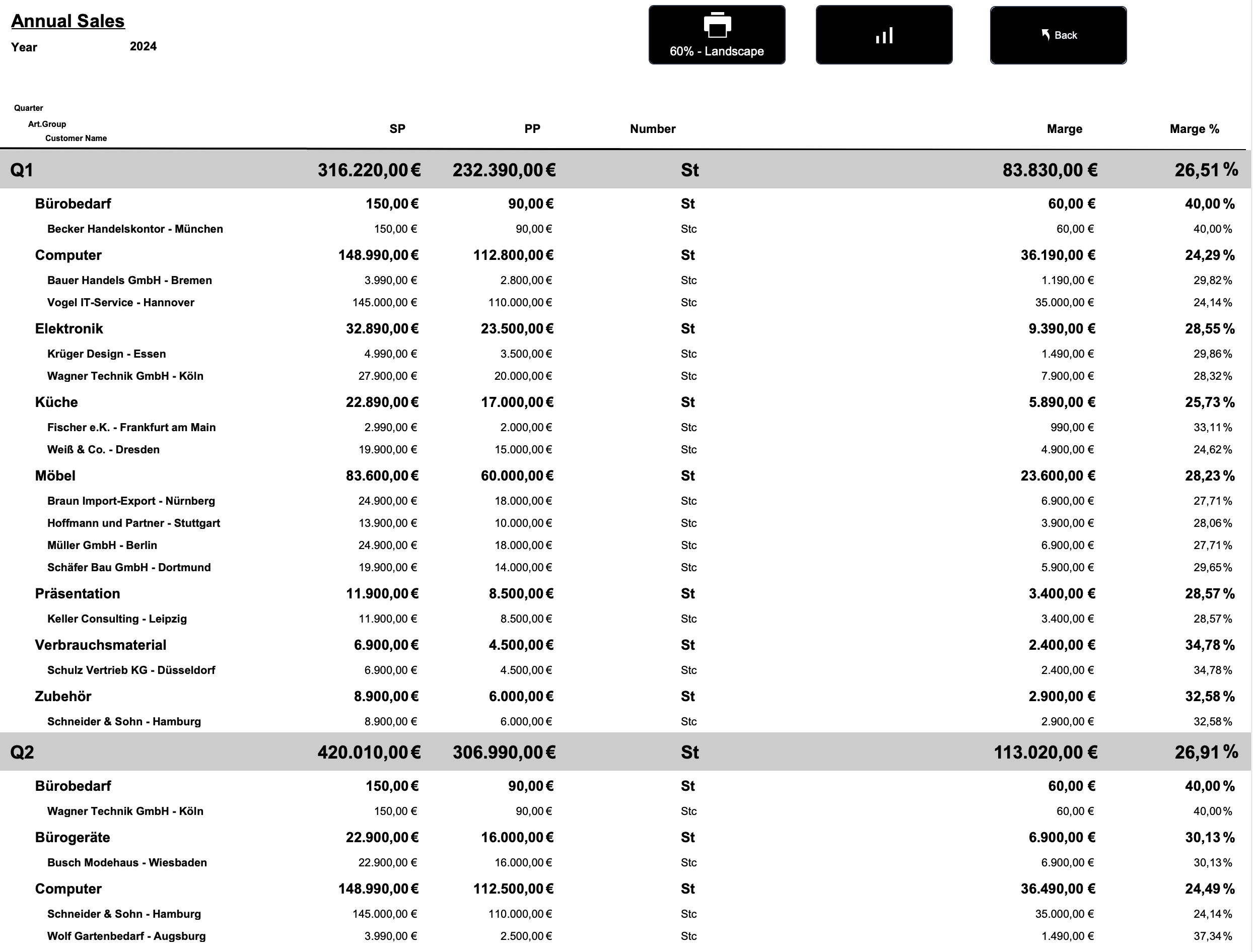
A possible analysis could look like this:
Defining a report is quite simple. Once the field names of all involved tables are defined in a schema, the report structure can be configured here:
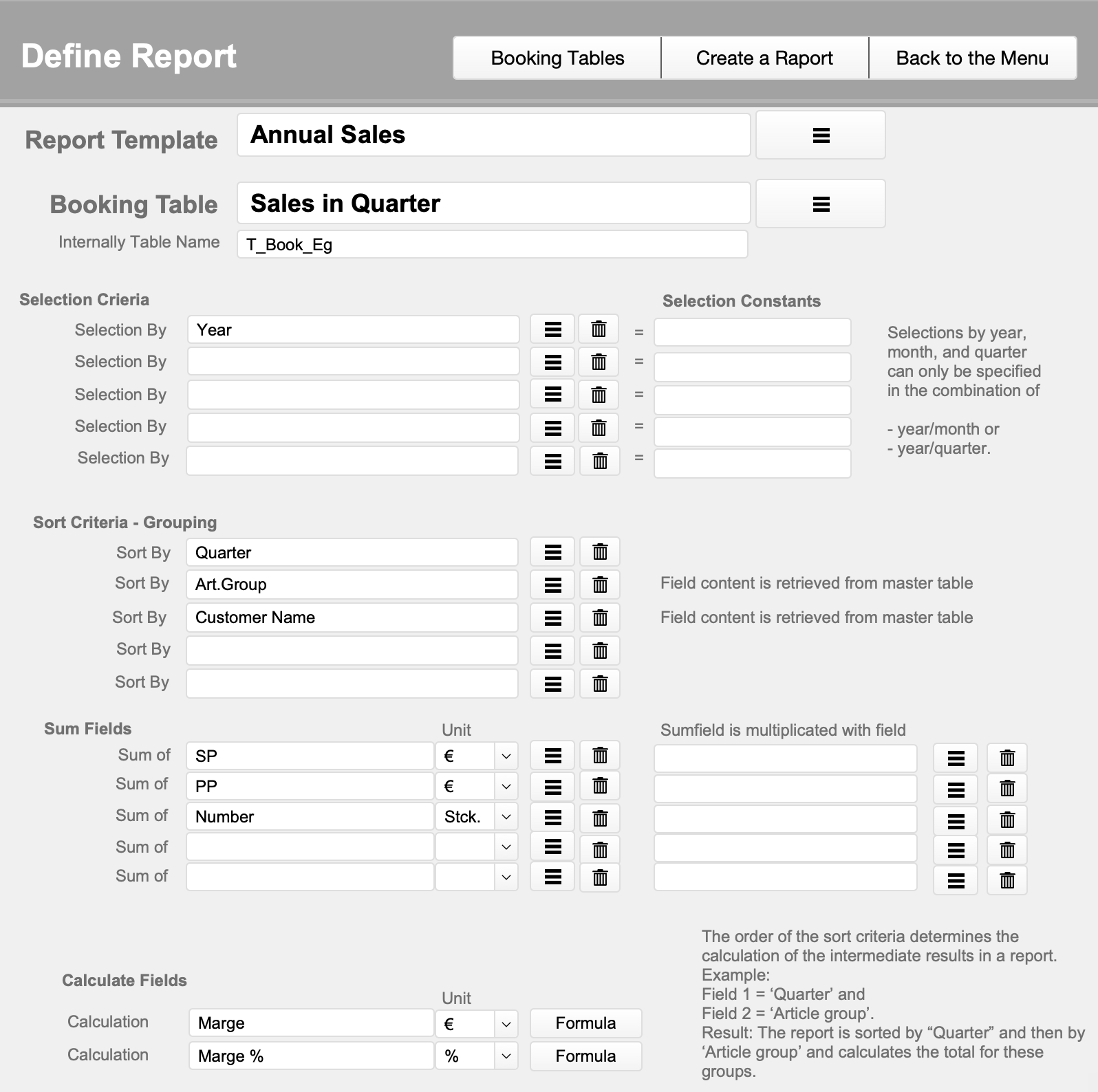
Since all relevant field names have already been determined, the actual definition of the report can be compiled by simply selecting from the field list.